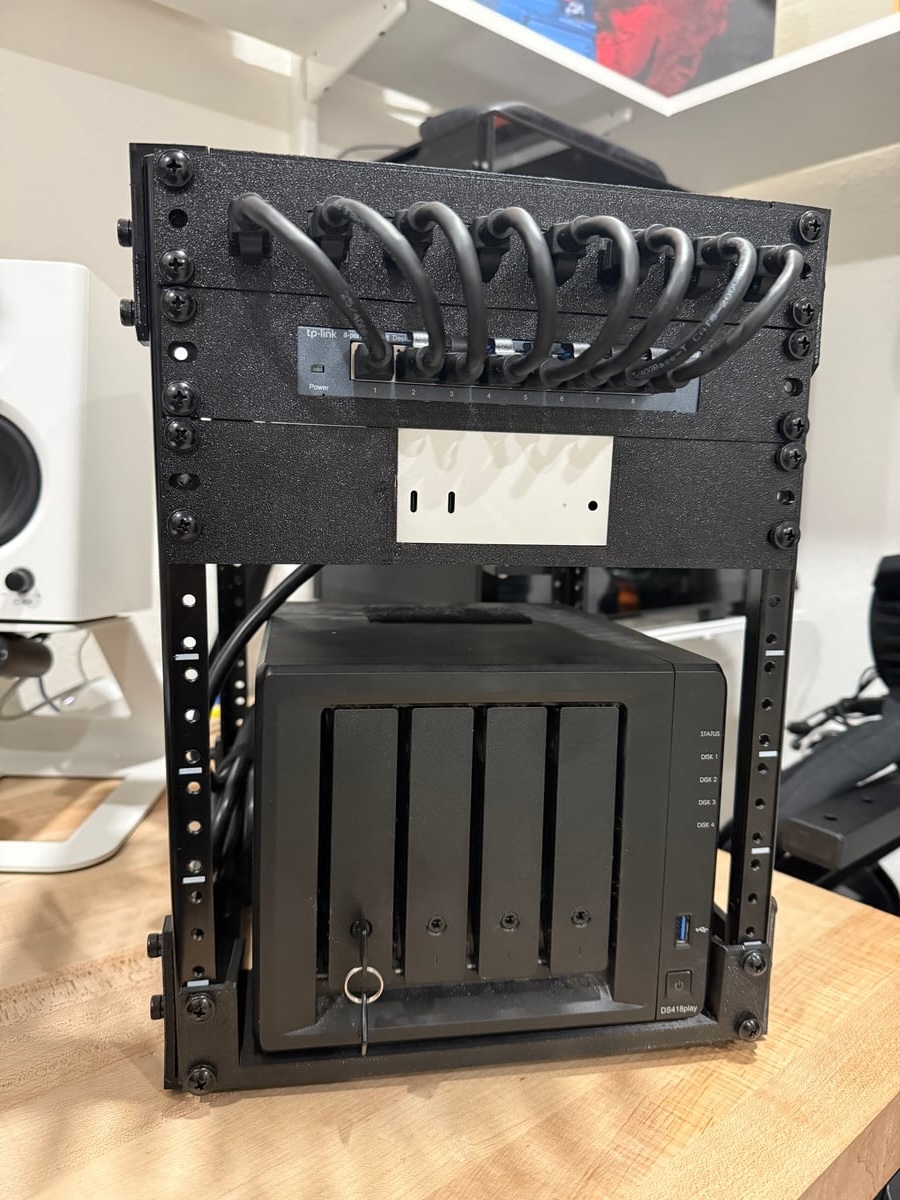
My 10U Homelab: Small Rack, Big Vibes
I’ve wanted a tidy little homelab for years—something compact enough to live happily in a corner, but capable enough to run the stuff I care about daily. This is the current version: a 10U rack built around a simple networking core, a surprisingly mighty Mac mini, and a dependable Synology NAS. It’s not a datacenter, but it is the backbone of my home services, media setup, and this very blog.
This post is a tour of the hardware, how it’s mounted, and what I’m using it all for.
The Rack Itself (10U of “just right”)
10U has turned out to be the sweet spot for me. Enough vertical space to keep things organized and expandable, without becoming a whole furniture category.
The vibe I was going for:
- Clean cable runs
- Quiet enough to forget about
- Easily serviceable
- Room to grow without redoing everything
I’m not chasing enterprise perfection here—just a setup that’s pleasant to live with and easy to maintain.
Networking Core: 8-Port TP-Link Switch
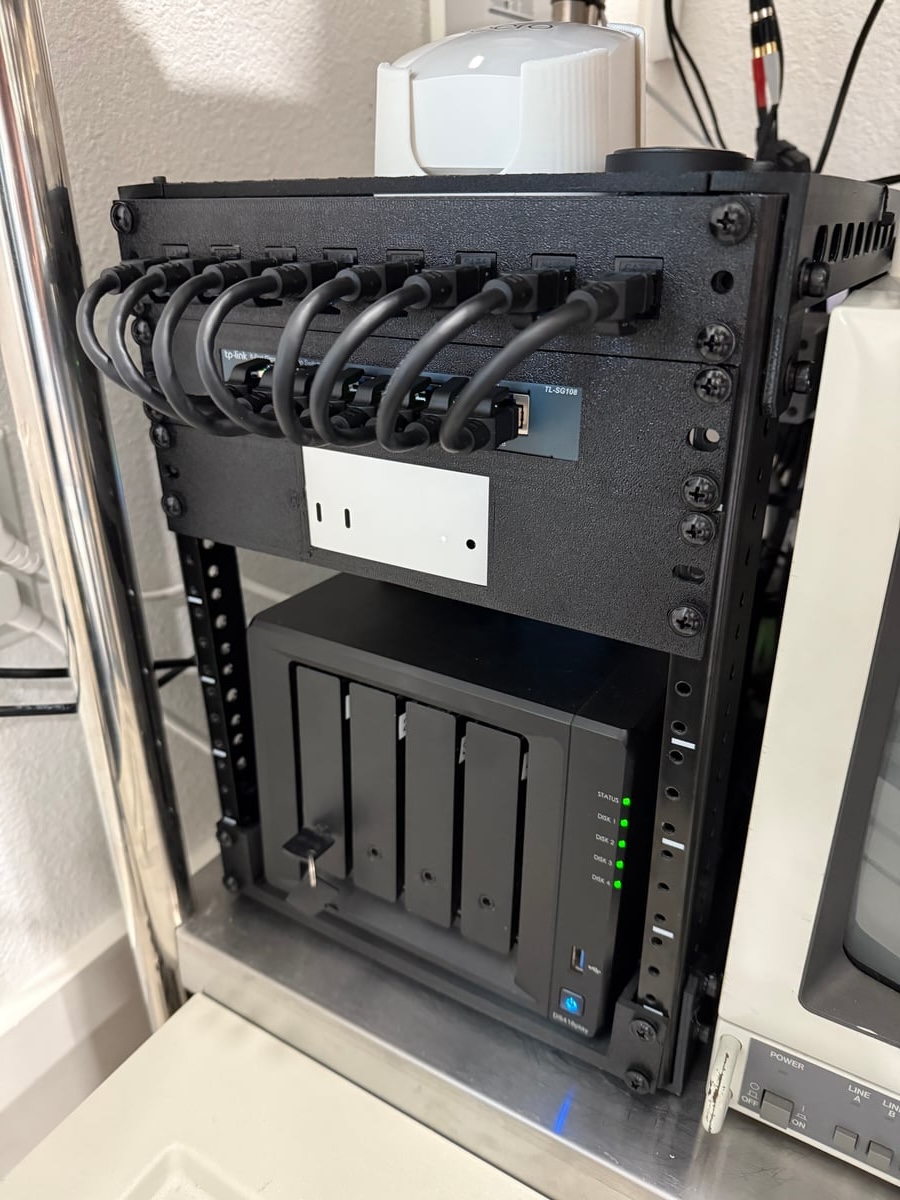
At the top of the stack, I’m using a straightforward 8-port TP-Link network switch. Nothing fancy, but totally reliable. It’s handling:
- Wired drops for the rack gear
- Uplinks to the rest of the house
- Dedicated lines for media streaming and NAS access
One of my goals was keeping the network predictable. Simple unmanaged switching works great for that. If I ever decide to add VLANs or fancier routing, I can slot something smarter in later without changing the rest of the rack.
Custom Rack Mounts (PETG-CF + a little stubbornness)
This rack wouldn’t be half as satisfying without the custom mounting. I designed and printed mounts using PETG-CF (carbon-fiber reinforced PETG). It’s stiff, heat-resistant, and looks very “lab-gear-approved.”
Why print mounts instead of buying them?
- The off-the-shelf options were either overpriced or didn’t fit how I wanted things arranged.
- I wanted everything to align cleanly in a 10U footprint.
- It’s fun to make hardware feel intentional.
The result: gear that sits snug, vents properly, and doesn’t wiggle when I’m swapping cables or drives. Plus, PETG-CF just has that nice matte, slightly industrial look.
Compute: M4 Mac mini
The heart of the lab is an M4 Mac mini, and honestly, it punches way above its size. It’s primary use is product design and local LLM play grounding.
Why the Mac mini?
- Ridiculous performance per watt
- Tiny footprint
- Silent under normal load
- macOS ecosystem benefits when I want them
- Still perfectly happy living as a “Linux-style” service host
It’s basically a compact server that doesn’t act like one. I’m not trying to run a virtualization farm; I just want my services to be fast, low-maintenance, and always on.
Storage: Synology DS418play 4-Bay NAS
For storage, I’m using a Synology DS418play DiskStation, and it’s been rock-solid. This handles all the data I want to keep safe and accessible:
- Media library
- Backups
- Docker volumes that shouldn’t live on the mini
- General file storage for the house
The DS418play hits the exact “prosumer sweet spot” Synology is good at: easy to manage, good software, and enough horsepower to handle home workloads without drama.
What This Lab Does Day-to-Day
This setup isn’t built to look cool on paper—it’s built to run my actual home stack.
- Self-Hosted Docker Services
The NAS runs self-hosted Docker images for things I want to own/control locally. The exact list changes over time, but the main idea stays the same:
- I prefer services I can inspect, move, and back up.
- If something breaks, I want to be able to fix it without waiting on a vendor. Docker makes that easy, and the M4 mini makes it fast.
- Media Center Serving
The NAS is my media vault and the brains that serve it out. It powers my home media center—streaming smoothly across the network with minimal fuss.
- Hosting This Blog
Yep—this blog runs here. I like knowing it lives in my rack, controlled by me, backed up by me, and not dependent on any external platform.
There’s something especially satisfying about writing a blog post about the machine that’s serving the blog post.
Why I Love This Setup
A few things that are working really well for me:
- Compact, useful hardware. Every device earns its rack space.
- Low noise, low power. It can run 24/7 without feeling like a heater or a jet engine.
- Easy to expand. I’ve still got rack room and ports to grow into.
- Custom mounting makes it feel “finished”. Being able to print mounts that fit exactly how I want is a game-changer.
What’s Next?
There’s always a “next,” right? A few things I’m considering:
- More structured cable management (because it can always be cleaner)
- Potentially a smarter switch if I want to segment media/IoT traffic
- Another shelf or two for future add-ons But I’m not in a rush. A homelab is never “done,” it just hits stable milestones—and this one feels like a good milestone.