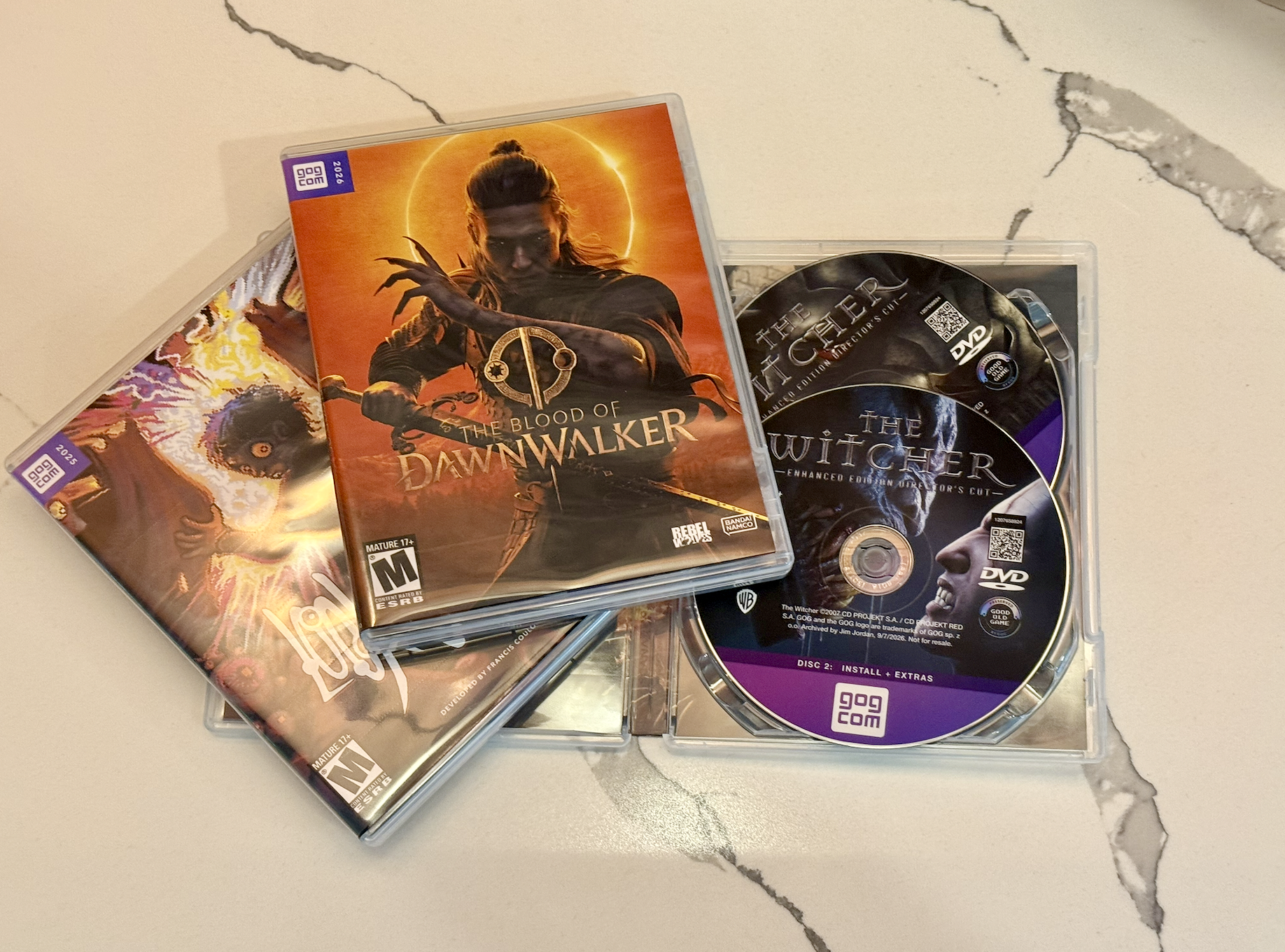
One of the best things about buying games from GOG is that I can download the offline installers and keep them. They are DRM-free, they do not need a launcher, and they still work if a storefront or internet connection is unavailable.
But a folder full of installers on a hard drive does not feel much like a game collection. I wanted the convenience of buying digitally and the satisfaction of having something physical to put on the shelf. So I built GOG Disc Packager.
From installer to physical release
The packager starts with an original GOG setup_*.exe. It finds the matching
numbered .bin files, optional extras, manuals, soundtracks, and artwork, then
plans everything across the media I choose. That can be a CD, DVD, Blu-ray, or a
mixed pile of discs I already have on hand.
Large files are split when they cannot fit on one disc and reassembled during installation. Each generated disc gets its own burn-ready folder containing the launcher, artwork, metadata, payload, and SHA-256 hashes. The original GOG installer itself is never modified.
For multi-disc games, the launcher stays open and asks for each disc in order. It copies and verifies the files into temporary storage, resumes if the process is interrupted, and launches the untouched GOG installer when the complete set is ready. Once a game is installed, the same launcher changes to offer Play, Uninstall, and Extras where they are available.
Making odd media useful
The media planner was the part I kept wanting to improve. In addition to the usual CD-R, DVD, and Blu-ray presets, it accepts custom capacities and mixed inventories. I can tell it I have one BD-50 and ten BD-25s, for example, and it finds the lowest-capacity combination that fits, preferring fewer discs when two plans use the same capacity.
That makes the tool useful for more than perfectly matched blank media. It can turn whatever is already in a drawer into a coherent physical release, complete with a case insert, custom disc art, and clear burning instructions.
Game-Key Media
I also added a second kind of package inspired loosely by Nintendo's Game-Key Cards. GOG Key Media stores the game's durable product identity instead of the game payload. Put it on an inexpensive CD, DVD, Blu-ray, or USB drive and the launcher signs into GOG through the browser, confirms ownership, and downloads the current build.
By default it installs the Galaxy build directly, avoiding a second full-size installer copy. It can also download and preserve the current offline installers for a future reinstall. The physical media never stores credentials, tokens, or temporary download links—only the information needed to identify the game.
A Key disc is not an offline backup on its own, and it still requires a GOG account and an internet connection. It is mostly a small physical ritual for a digital purchase, with the option to turn that purchase into a proper offline archive while installing it.
Why I made it
There is no practical shortage of ways to store a GOG installer. A hard drive is faster, cheaper, and easier to search. That is not really the point.
Physical releases give a game a place. Designing the artwork, burning and testing the discs, and putting the finished case on a shelf makes a digital purchase feel like something I actually own. GOG already provides the important part—the DRM-free installers. This project gives them a physical form again.
GOG Disc Packager is a self-contained Windows app and is open source under the GPLv3. Releases, source code, and documentation are available on GitHub.