A self-hosted ebook library and reader you run with Docker. Browse your epub collection in the browser, read in a clean paginated reader (foliate-js) with themes, fonts, tap-to-define dictionary lookup, and progress that syncs across devices.
Licensed AGPL-3.0.
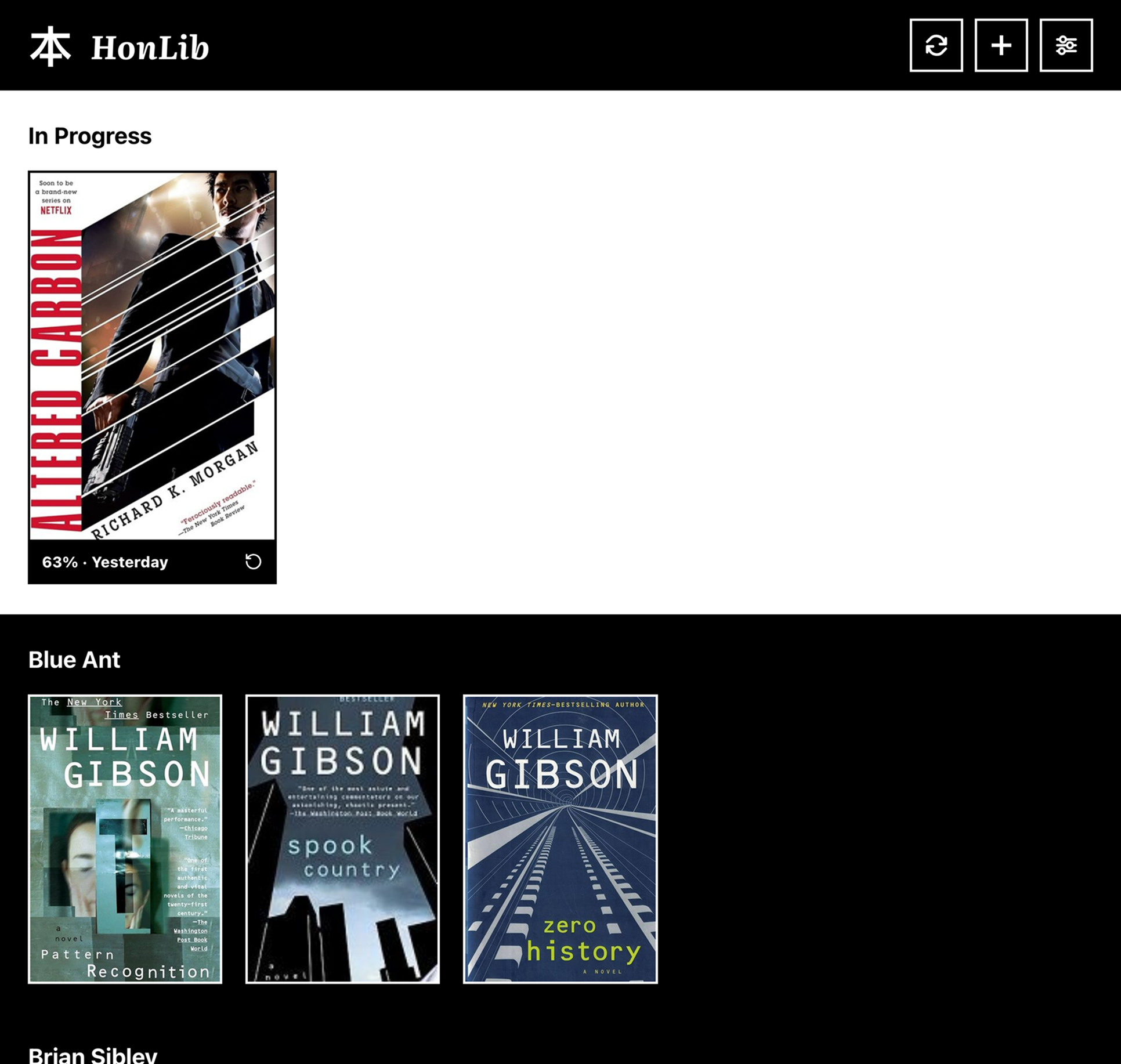
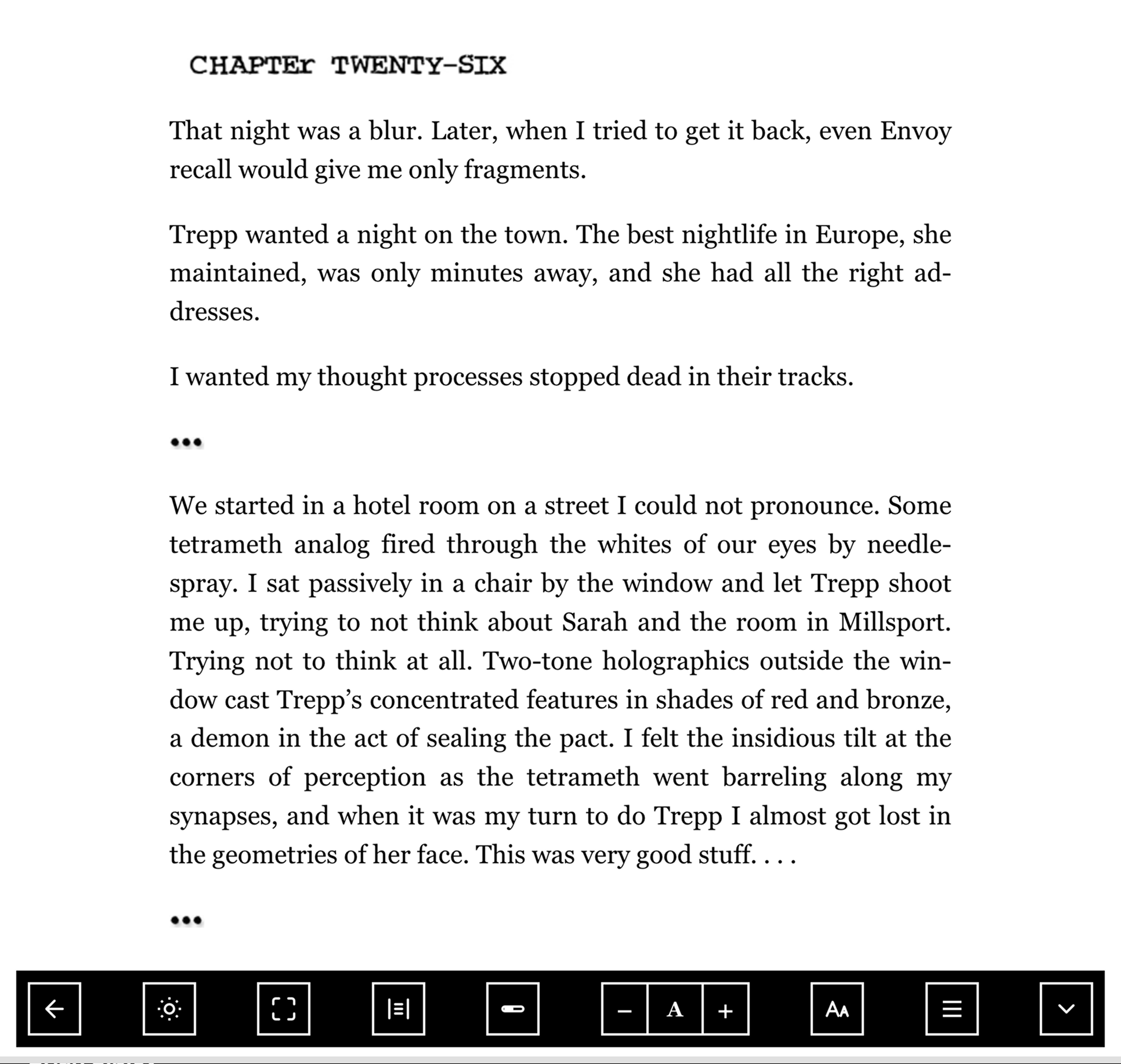
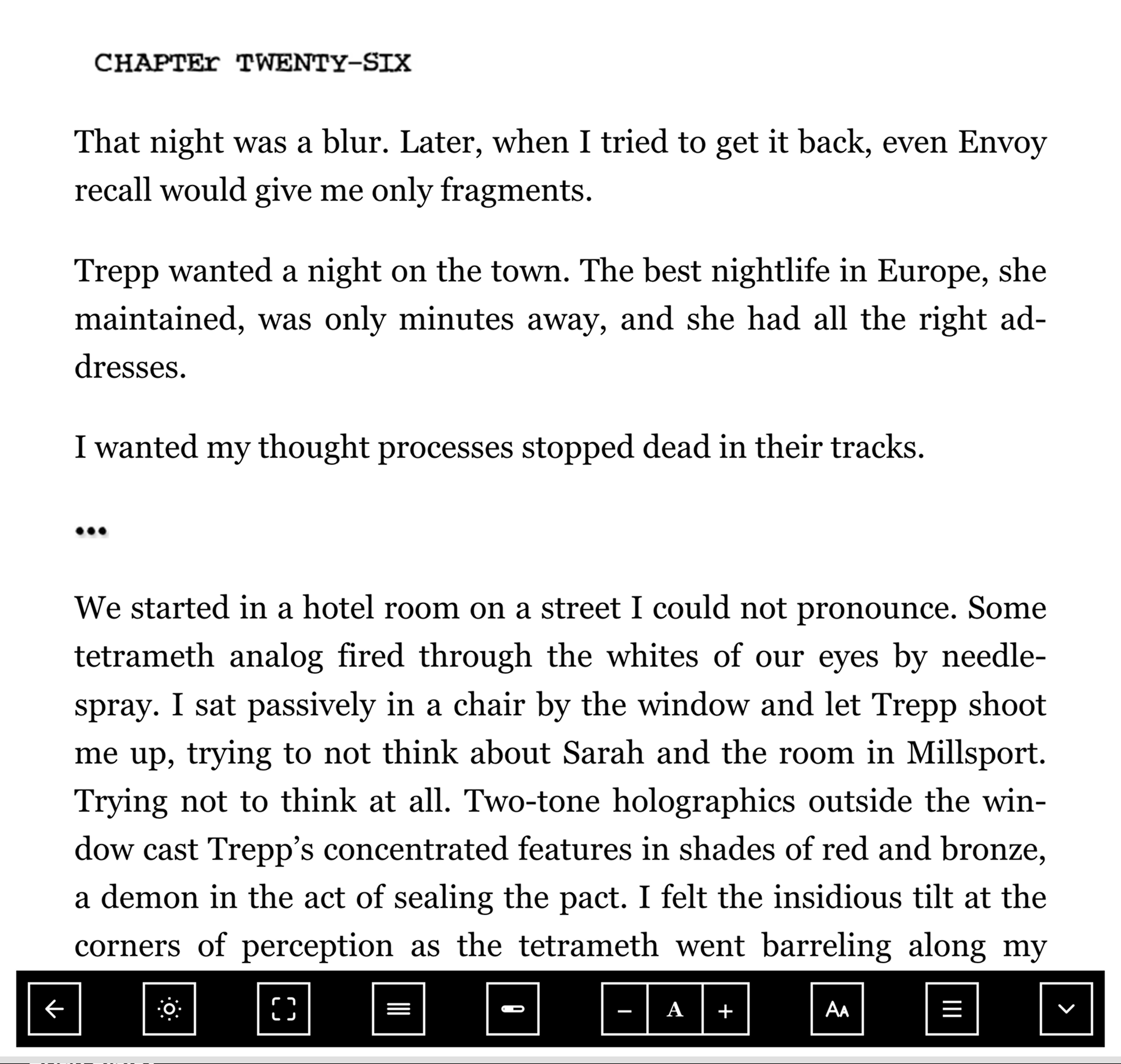
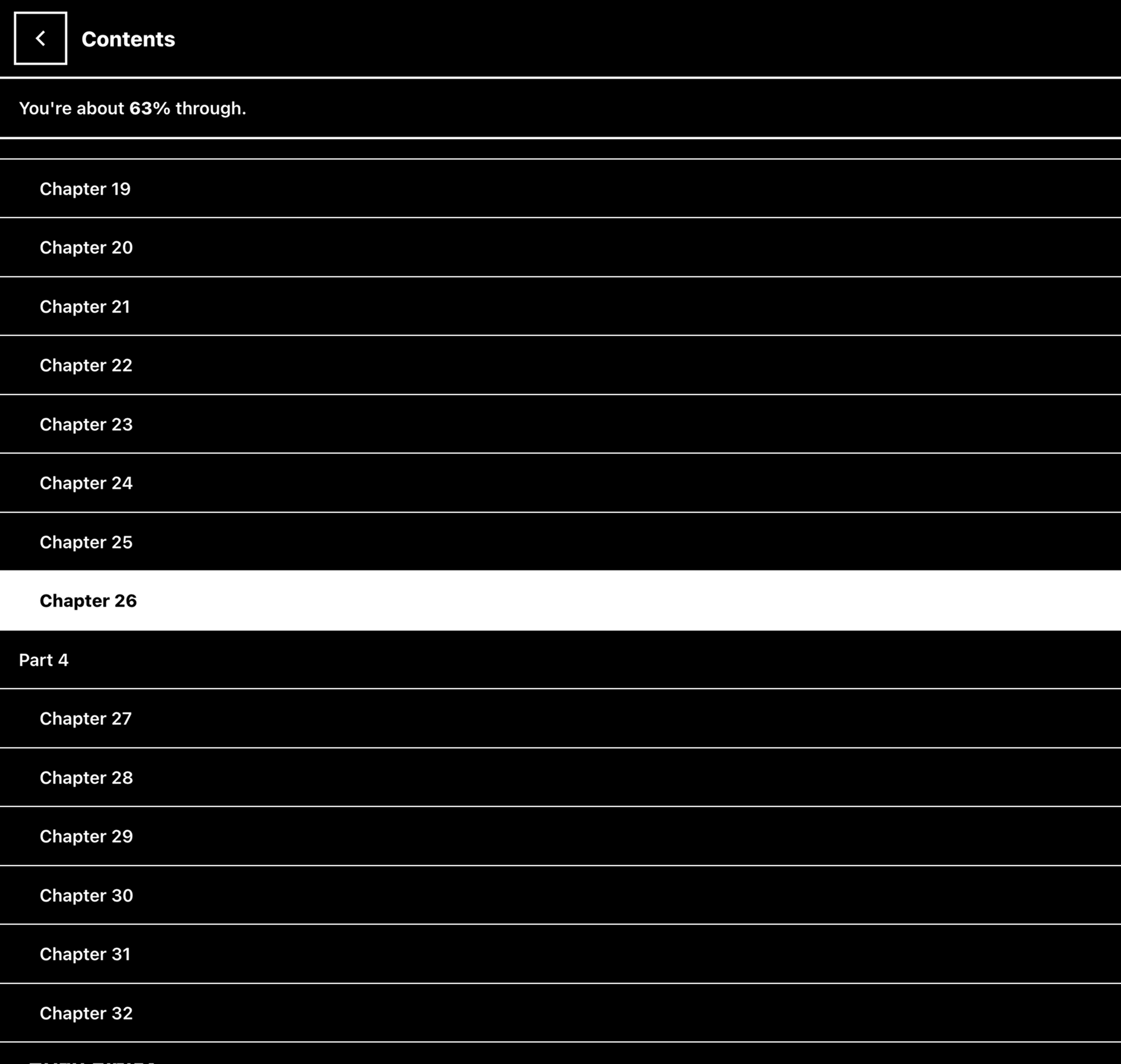
Why HonLib
I wanted off the Kindle ecosystem — no proprietary formats, no vendor lock-in, just my books, accessible from any device.
I tried KOReader first. It is powerful, and that power is exactly the problem for the reader I had in mind. Most people do not want a reading app to become another hobby. They want to open a book, make the words comfortable, and keep reading.
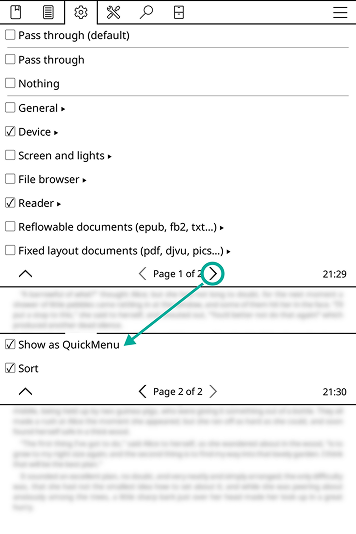
The first time I tried to change a simple behavior, I landed in a hierarchy of general, device, screen, file-browser, reader, and document-format settings. Some categories opened into more categories; even this one menu continued onto a second page. That is useful if you already know the distinction between a reader setting and a reflowable-document setting. For everyone else, the first decision is not what do I prefer? but where would this preference live?
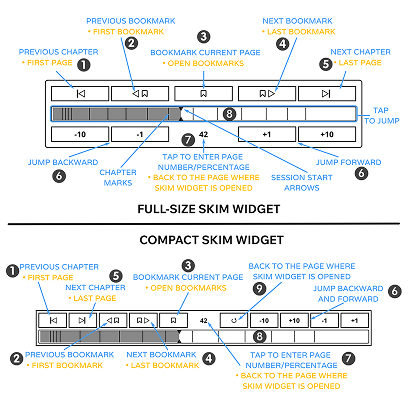
Then there is navigation. KOReader's skim widget can jump by pages, chapters, bookmarks, percentages, or a tapped position, with different actions depending on which small control you hit. It is impressively capable. It also needs an annotated diagram with numbered callouts to explain it. My test for HonLib became simpler: if a person needs documentation to turn a page or find their place, the interface has already asked too much of them.
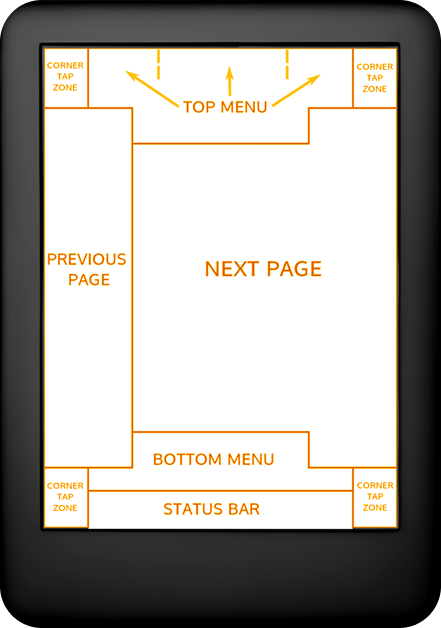
Even the blank reading page contains an invisible map of tap zones. After I opened a menu when I meant to advance, I realized the app expected me to learn the screen rather than letting the screen explain itself. Enthusiasts may value that density and configurability. HonLib is for the other 99% of readers: the people who should not need to memorize a control surface before returning to a novel.
So HonLib is the opposite bet: a simple, self-hosted library and reader that works the same everywhere.
HonLib doesn't sync anything itself — that's not its job. Point it at a local folder and it reads from disk; keeping that folder up to date is whatever syncing tool you already use (Syncthing, Dropbox, a NAS share, whatever). HonLib just notices when the files are there.
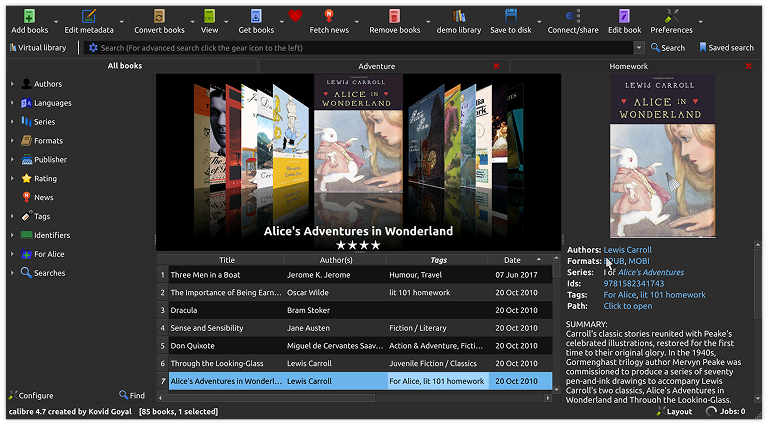
Calibre gave me a different version of the same experience. I would open it to put one book on a device and find myself managing authors, formats, tags, identifiers, cover art, conversion options, and device-transfer rules. All of those tools have a purpose, but the book had turned into a database record before I had read its first page. A typical reader should not have to become their own digital librarian just to keep a small shelf organized.
HonLib does not require opening Calibre and dialing in a page of metadata first. If an EPUB is in the folder, it appears in the library.
Typography, not settings
I don't want to dial in font sizes, line heights, or margins by hand — and I don't think you should have to either. Instead of a settings panel full of sliders and numeric inputs, HonLib gives you a simple + / − to bump text size up or down, and handles everything else for you based on a few fixed typographic principles:
- 45–75 characters per line — the established readable range; text never sprawls or cramps regardless of screen size or text size
- 150% paragraph spacing — consistent vertical rhythm without manual tuning
- Two reading modes, not infinite font knobs:
- Constrained — fixed-width column, paginated, the closest thing to a printed page
- Adaptive — reflows to the viewport, for whatever device you're holding
The goal is that the typography just works, the same way it would in a well-set book. Bump the text size with + / − if you want it bigger or smaller — line length, spacing, and column width all adjust automatically to stay in range — but there's no font-size slider, no line-height knob, nothing else to tune.
Chapter progress, not book progress
The thin progress bar at the bottom of the reader shows progress through the current chapter, not the whole book. Hitting 100% means you've reached the end of that section; the bar resets when you cross into the next one. This is deliberate — a per-chapter bar gives meaningful, frequent feedback on a long e-ink page-turn, where a whole-book bar barely moves between turns. Library shelving ("In Progress" / "Complete") still uses overall book percentage.
Built for e-ink, EPUB only
The stark, high-contrast, brutalist look isn't an aesthetic flex — it's there because HonLib is built to be read on e-ink. Heavy borders, flat black-on-white panels, and no gradients or shadows are what render crisply on a slow refresh display. It looks fine in a normal browser too, but the design is tuned for the screens that benefit most.
HonLib only supports EPUB. No PDF, no MOBI, no AZW, no CBZ/CBR. If you want any of those, convert them first (Calibre handles it) or use a different reader. Keeping the format surface small is what makes the typography and the reader behavior consistent.
Features
- Library — cover grid or table view, search, sort, and filter your epubs.
- Reader — paginated reading with adjustable fonts (incl. dyslexia-friendly faces like Atkinson Hyperlegible), light/sepia/dark themes tuned for e-ink, and tap-a-word dictionary lookups.
- Progress sync — your place in each book follows you between devices.
- Installable — works as a PWA you can add to a phone or tablet home screen.
- Plugin-friendly — optional acquisition and Android wrapper modules can be added as git submodules.

GaLib: a reader for manga
GaLib is a separate self-hosted web app for
reading a manga library. It serves .cbz chapters in a stark, e-reader-friendly
right-to-left reader, keeps chapter and page progress synced across devices,
and can be installed as a PWA.